
Archiving a 2014 Fix: App-V, wisptis.exe, and a Wacom Mouse Lag Bug
Part of keeping a record of past work is admitting that not all of it lives on your own site. Some of it ends up documented elsewhere, credited in someone else's write-up rather than your own. This is one of those.
Back in 2014, a Microsoft MVP running the blog applepie.se wrote up a nasty App-V 5 issue we'd been chasing: applications virtualized with App-V that used .NET Framework 4.5.2 (WPF, Silverlight, the SCOM/SCCM console, the App-V UI itself) would trigger severe mouse lag or a full hang whenever a tablet-input-capable device — most commonly a Wacom tablet — was connected. The culprit was wisptis.exe, the process responsible for handling pen input; killing it restored normal mouse behaviour immediately, which was the first clue.
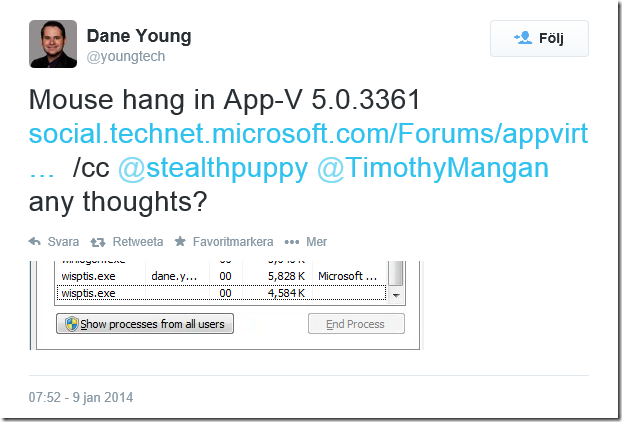
The write-up is credited to the site's author, but the underlying diagnosis and several of the fixes trace back to troubleshooting I'd done at the time — it's referenced throughout as "thanks to Paul Richards" for both the initial diagnosis and a couple of the workarounds. Just happened - he got asked on Twitter by someone else as we'd been troubleshooting the issue. It's a good example of the kind of unglamorous, deep-in-the-registry sysadmin work that doesn't often get written up publicly, so it's worth keeping a pointer to it here as part of the record — alongside the website and intranet history already on this site.
For anyone landing here from a search for the same issue, the short version:
- Symptom: mouse freezes when a WPF/.NET 4.5.2 app is launched inside an App-V 5 bubble, on a machine with a tablet-input device attached.
- Root cause: App-V's handling of the process meant
wisptis.exefailed to start correctly (STATUS_ELEVATION_REQUIRED), and the resulting stuck state locked up the mouse. - Workarounds explored: reverting to .NET 4.5.1, disabling the Tablet PC input service outright, overriding a specific WPF interface registry key inside the App-V package at sequencing time, and — the one Microsoft eventually confirmed — adding an
ObjExclusionsregistry entry on the App-V client so the process wasn't tracked the way that triggered the hang. - Long-term fix: rolled into App-V 5.0 SP3.
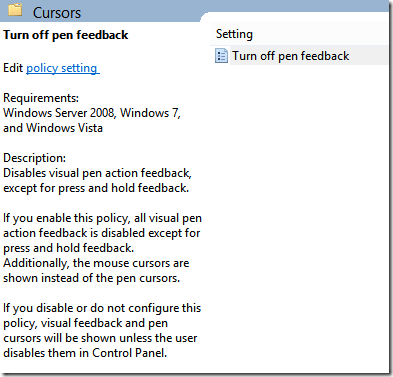
The blunter workarounds, for reference — disabling tablet input via Group Policy:
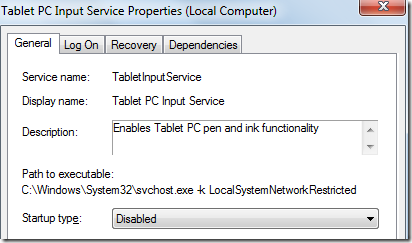
...or disabling the underlying service outright:
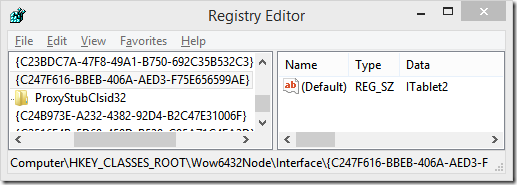
And the more surgical fix — overriding the WPF tablet-detection interface inside the App-V package at sequencing time, scoped to just the virtualized app:
The full detail, including the exact registry paths and the community follow-up from other admins who hit the same thing on App-V 4.6, is on the original post.
It's a small thing to archive, but it's a fair snapshot of what a lot of education-sector IT work actually looked like a decade ago: less "modern web stack," more registry keys and process traces at midnight.